
Digital PDFs & crooked scans
Reads exact vector text coordinates on digital PDFs in milliseconds, and automatically deskews and OCRs scanned documents, photos, and stamped hybrid PDFs.
Works on both digital vector PDFs and tilted office scans or images. Automatically detects multiple tables, merges multi-page continuations, and exports Excel-ready CSV, Markdown, or JSON.
Reads exact vector text coordinates on digital PDFs in milliseconds, and automatically deskews and OCRs scanned documents, photos, and stamped hybrid PDFs.
Extracts multiple distinct tables per page, strips repeated headers, merges headerless continuation pages, and splits unruled visual row blocks cleanly.
Download clean RFC 4180 CSVs (with Excel UTF-8 BOM and formula-injection protection), multi-table ZIP bundles, JSON, or copy GitHub-Flavored Markdown directly into AI tools.
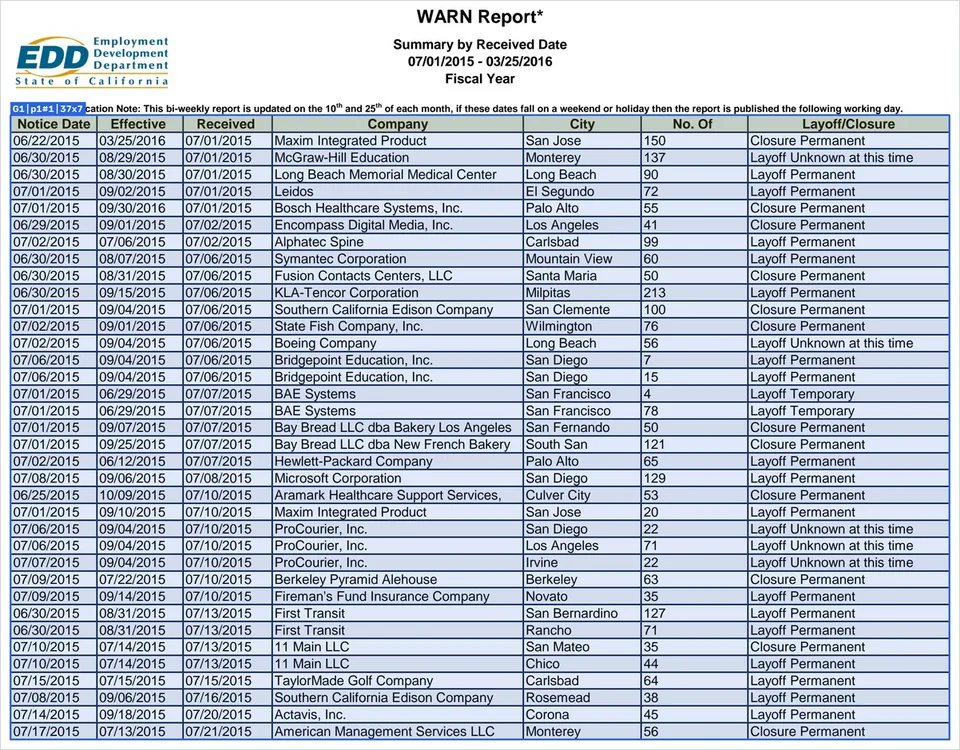
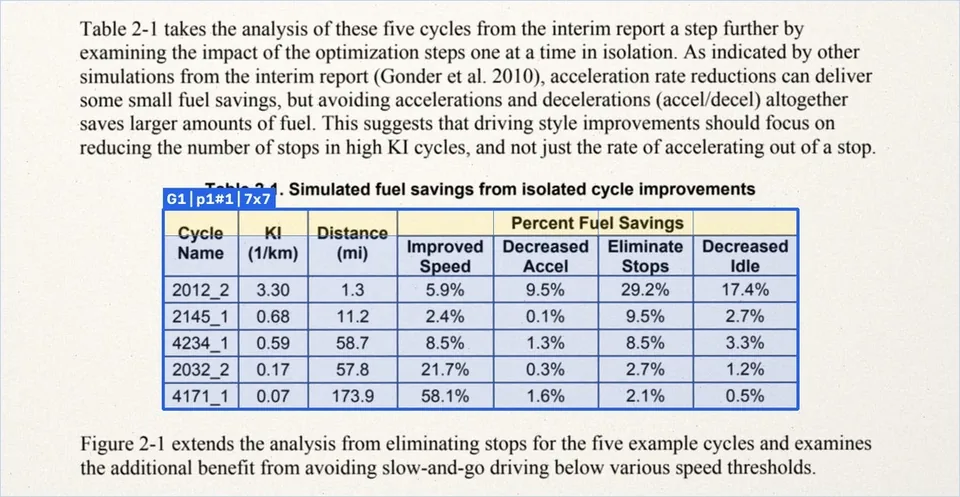
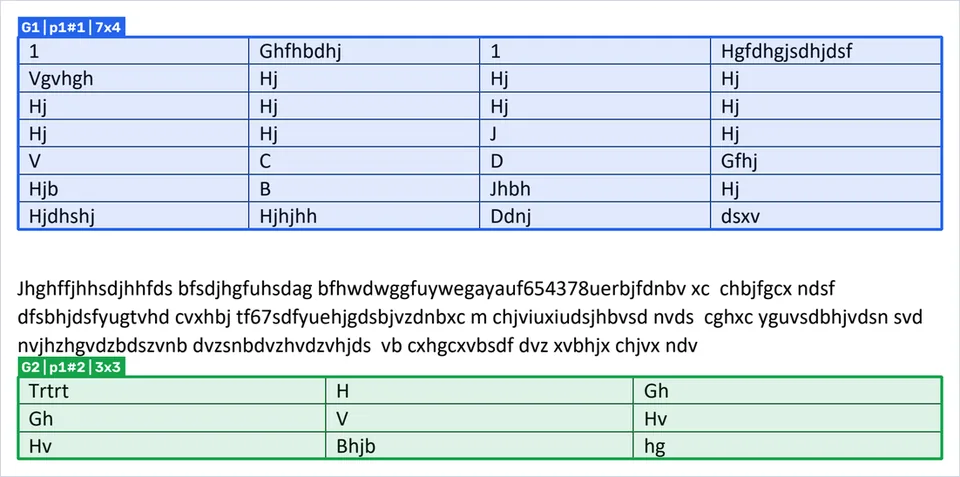
Real headless grid overlays rendered directly by pdf-to-csv-table-extractor: amber highlights detected headers; blue and green outline extracted cells while ignoring prose.
Explore English technical guides, reproducible CPU/GPU benchmarks vs. Camelot, Tabula, pdfplumber, and Docling, and every pre-baked OCR language supported by TableCSV.
Quick browser extractions with zero sign-up and zero file storage.
Run unlimited local batches offline on your own CPU or GPU.
Managed extraction endpoints, custom layout tuning, and dedicated support.
TableCSV is powered by the open-source Python library pdf-to-csv-table-extractor (MIT License). Run the exact same engine locally on CPU, NVIDIA CUDA, or AMD ROCm with zero page limits and zero external OS binaries.
pip install pdf-to-csv-table-extractor
pdf2csv-tables extract "report.pdf" --utf8-bom -o output/No. TableCSV processes uploaded documents strictly in volatile RAM and discards them immediately after extraction finishes. We never save files to disk or cloud storage, never log extracted cell contents, and never train AI models on uploads. For air-gapped environments, run the exact same MIT-licensed engine offline via pip install pdf-to-csv-table-extractor.
Yes. In Auto mode, TableCSV reads exact vector text coordinates on digital PDFs in milliseconds and automatically switches to auto-deskew and RapidOCR across 50 pre-baked languages (including right-to-left Arabic, Persian, and Urdu) on scanned PDFs, tilted scans, stamped hybrid PDFs, and raster images (PNG, JPG, WebP, TIFF, BMP).
Tables with matching column headers or continuation structure across pages are automatically merged into one CSV per table schema, deduplicating repeated headers and merging headerless continuation pages while keeping distinct tables in separate CSV files. You can also switch Multi-table grouping to Separate CSV per table or Combine all tables.
The free web extractor accepts PDF, PNG, JPG, JPEG, WebP, TIFF (including multi-frame TIFFs up to 50 frames), and BMP files up to 15 MB and 25 digital pages per run (12 pages per run for image-only scans or Force OCR; use the Pages field for additional batches). For unlimited pages and folder batches, install the free open-source CLI locally or request managed Pro API access.
Microsoft Excel requires a UTF-8 Byte Order Mark (BOM) to open CSVs containing accented characters, currency symbols, or Arabic, Cyrillic, and CJK scripts without garbled text. TableCSV enables Excel UTF-8 BOM by default and applies CWE-1236 formula-injection protection on non-numeric cells starting with =, +, -, or @ while preserving negative numbers and currencies cleanly.
Yes. TableCSV is powered by the MIT-licensed package pdf-to-csv-table-extractor (Python 3.11–3.14 on Linux, macOS, and Windows) with zero external OS binaries, pandas and polars exports, and CPU, NVIDIA CUDA, and AMD ROCm Docker images. For high-volume managed REST API access or enterprise SLA support, reach out via the contact form.
Need managed API access, high-volume PDF pipelines, custom layouts, or on-premise enterprise support? Send a message below — we typically reply within 1 business day.